
Xeoma Video Surveillance16.12.26 - Google Play
You'll be able to see results in few seconds.
Publisher Description
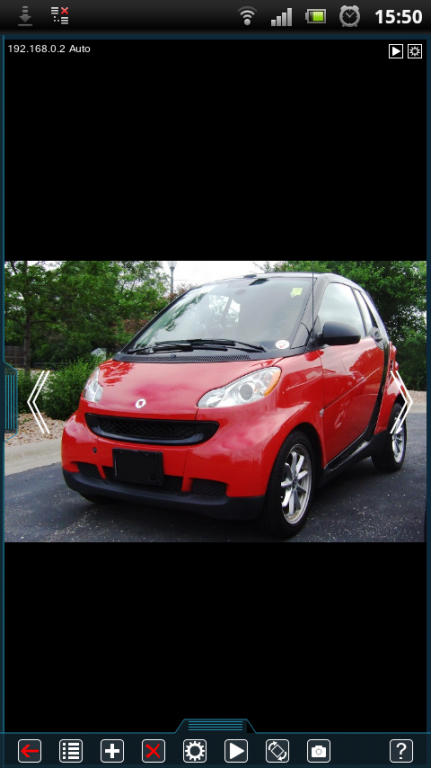
Piece-of-a-cake-easy for beginners - powerful for professionals, Xeoma Android app is a free complete solution for video surveillance. Can be used as a ready to work out-of-the-box standalone CMS or as a client for remote access to desktop or VsaaS server part of Xeoma.
Its construction-set principle, cutting-edge interface and unlimited flexibility will make you enjoy your video surveillance system!
Remember how you enjoyed playing with your construction set as a kid? How easy it was to make any of your ideas come true combining simple elements and making them grow gradually into something bigger! Even easier than that, now you can realize your most complicated video surveillance goals thanks to unconventional flexibility of this CMS. Full freedom of choice to configure the system you need: exactly, simply and quickly. Even an old Android smartphone or tablet can become a full-functional video surveillance system!
Surely, you already figured out where you could use it and how greatly it could help!
The solution is operational within minutes, if not seconds! Whether you have an IP camera or a CCTV camera, auto detection will find them and connect them automatically, hassle-free. Hundreds of brands and models of IP cameras, Wi-Fi, USB, H.264, H.265, MJPEG, MPEG-4, ONVIF and PTZ cameras are supported: up to 3000 cameras per server, with as many servers as you want! And as if it wasn't enough on the flexibility front, Xeoma server can also work on Windows, Linux, and Mac OS machines, in either of 3 modes including the free trial mode that you can use over and over again!
The new free Xeoma app for Android is also perfect for easy remote access to view cameras and archives from your mobile device, even behind firewalls (with the help of additional Repeater service). It can also be used to connect to Xeoma Cloud VsaaS.
Key features of Xeoma:
* One-of-a-kind truly user-friendly interface
* Various modes of work including the free trial. Client parts are always free
* Unlimited number of servers and clients
* Flexible setup thanks to construction-set idea
* Highest level of reliability
* Support for all kinds of web and IP cameras (ONVIF, JPEG, Wi Fi, USB, H.264, H.265, MJPEG, MPEG4)
* Easy to use even for beginners
* No installation or admin rights required for a server part
* Ready to work right after download with default optimized settings
* Easy further setup
* Server part can work on Windows, Mac OS, Linux and Android
* Full set of features for efficient video surveillance
* Smart motion detector with advanced false alarm avoiding logic
* Motion-triggered or scheduled notifications (SMS, email, etc.)
* Loop archive that can records to various disks or NAS
* Remote access even with no real IP address
* Easy bulk cameras setup
* Available view of cameras and archives via browser
* Protection of settings and archives from unauthorized access
* Flexible user access rights
* Fast and responsive high quality tech support
* Constant development and releases of new versions with new features
* Available in 22 languages
Get excited about powerful possibilities of Xeoma. This video surveillance software will save your time, nerves and money! Ready to become the new Mr Bond? Download the free app now - get the best for your safety!
About Xeoma Video Surveillance
The company that develops Xeoma Video Surveillance is Felenasoft Ltd.. The latest version released by its developer is 16.12.26.
To install Xeoma Video Surveillance on your Android device, just click the green Continue To App button above to start the installation process. The app is listed on our website since 2017-01-13 and was downloaded 0 times. We have already checked if the download link is safe, however for your own protection we recommend that you scan the downloaded app with your antivirus. Your antivirus may detect the Xeoma Video Surveillance as malware if the download link to com.felenasoft.xeoma is broken.
How to install Xeoma Video Surveillance on your Android device:
- Click on the Continue To App button on our website. This will redirect you to Google Play.
- Once the Xeoma Video Surveillance is shown in the Google Play listing of your Android device, you can start its download and installation. Tap on the Install button located below the search bar and to the right of the app icon.
- A pop-up window with the permissions required by Xeoma Video Surveillance will be shown. Click on Accept to continue the process.
- Xeoma Video Surveillance will be downloaded onto your device, displaying a progress. Once the download completes, the installation will start and you'll get a notification after the installation is finished.
Program Details
System requirements
Download information
Pricing
Version History
version 16.12.26
posted on 2017-01-13
Still images from the app get stored in the system /screenshots folder;,Fixed redirect and Xeoma Pro Your Cloud log;,Added activation of licenses on virtual machines (except for Lite);,Rebranding utility: added commands to hide more archive menu options;,Added new “Condition” module that passes video stream to following modules if the pre-set logical condition is met;,Help screen at first launch is enhanced;,Added Traditional Chinese;,Enhanced Web server browser page and Users menu;,+ many more!
version 16.8.17
posted on 2016-08-26
Xeoma Pro: added license plate recognition (ANPR module) for Europe, UK, USA, Australia, Singapore, South Korea, Kazakhstan.,Xeoma Pro: added Face Recognition.,Users: added option to decode video on client or server for each user separately;,Multi-Server Mode: added possibility to add servers connected through Repeater as well;,Added support for more devices;,Motion Detector: added support for camera switches to the night mode and back, without false alarms;,and more improvements.
Disclaimer
Official Google Play Link
We do not host Xeoma Video Surveillance on our servers. We did not scan it for viruses, adware, spyware or other type of malware. This app is hosted by Google and passed their terms and conditions to be listed there. We recommend caution when installing it.
The Google Play link for Xeoma Video Surveillance is provided to you by apps112.com without any warranties, representations or guarantees of any kind, so access it at your own risk.
If you have questions regarding this particular app contact the publisher directly. For questions about the functionalities of apps112.com contact us.
